Reports and waivers for tattoo studios
Know your numbers. Find any waiver.
Every job your studio has done, filtered by date, artist or status and charted for you. Export the list in one tap, and pull up any client's signed waiver by name.
The sample studio opens on your phone, no sign-up. Filter the jobs, then open the Waivers tab.
01
Filter every job
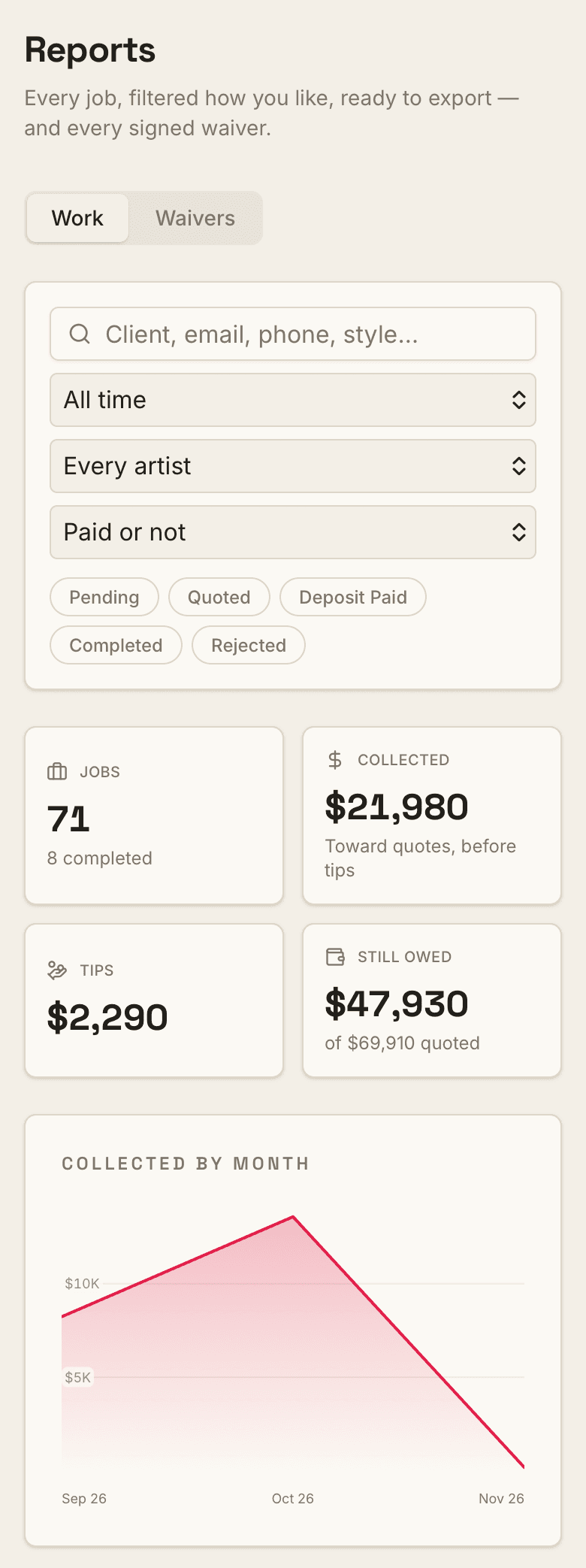
Pick a date range, an artist, a status, or who still owes. The totals follow along: jobs, what's been collected, tips and what's still owed, with collections charted month by month.
02
Export what you see
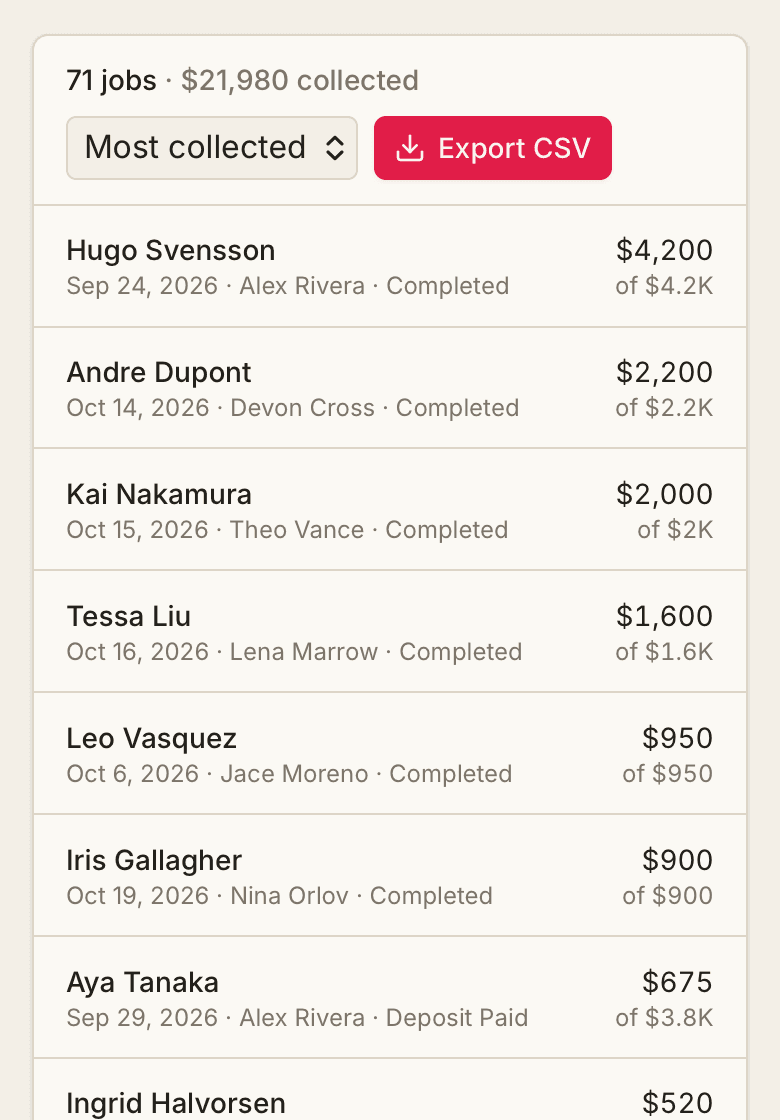
Sort it however you need and export it as a spreadsheet file that opens in Excel, Numbers or Google Sheets. The charts and the export come from the same list, so what you hand your accountant matches the screen.
03
Any waiver, by client name
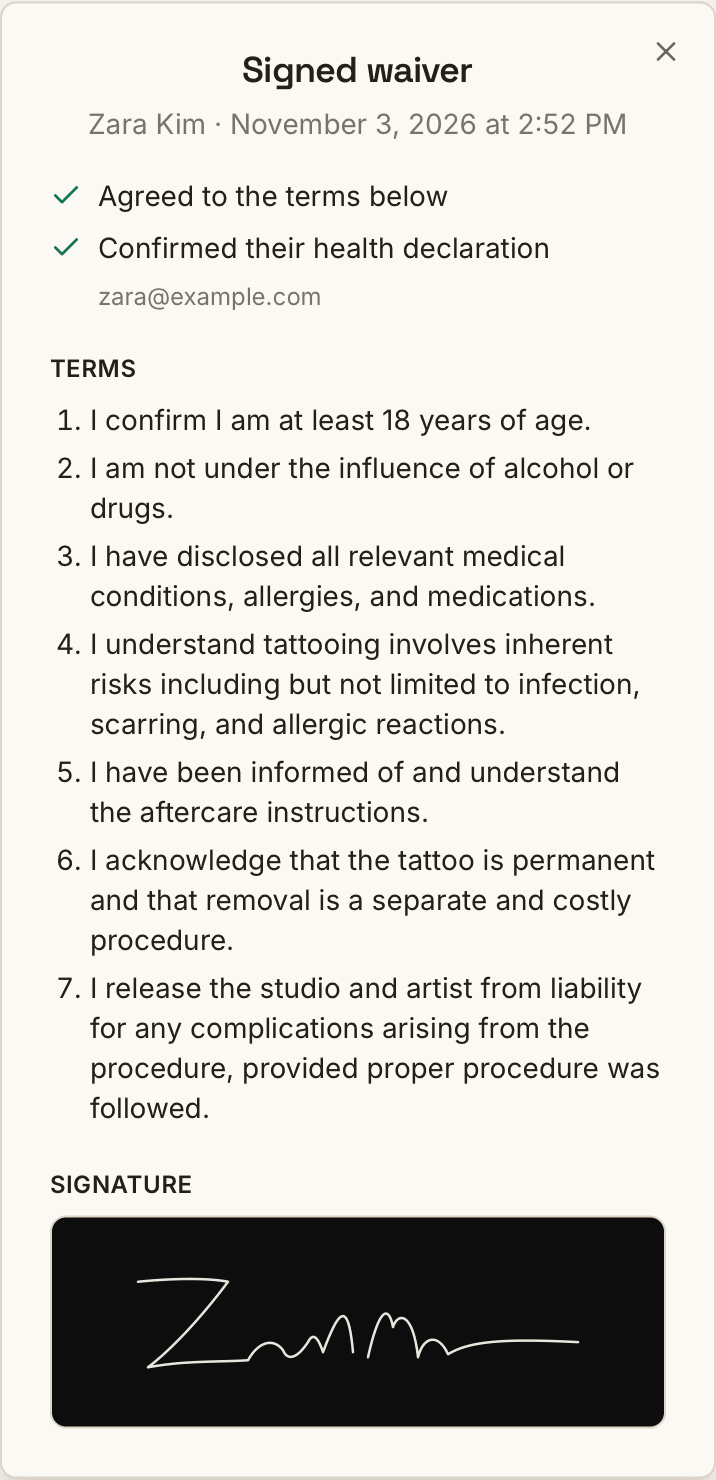
Search a name and open their signed waiver: what they confirmed, the exact terms they agreed to, and their signature. It's on their booking too, for anyone on the team working it.
Screens from our sample studio.
And the rest of the studio, in the same app
Booking, deposits, flash, waivers, walk-ins and payouts all run from one dashboard.
See everything- Deposits where the client covers the fees, so your studio keeps the full deposit
- A booking link with your artists and a visual intake
- Payouts and booth rent worked out for you
- A walk-in line clients join from a QR code in your window
Have this year's numbers ready for tax season
2-month free trial, no card required. +$25/mo per extra artist.
Rather see it with a person? Get a 15-minute walkthrough