Clients and referrals for tattoo studios
Send them anywhere. Keep the credit.
From any client's page, book them or send them a link: your studio page, all the flash, or one artist's page or flash. Whatever they book from it shows who sent them, whoever does the tattoo.
Opens a sample studio's clients on your phone, no sign-up. Open a client and tap Send a link.
Before
Who sent them? Nobody can say.
- Do you have anyone who does fine-line?
- Theo's amazing at it! Look him up on Instagram
- Ok thanks!
They book three weeks later. Nothing says you sent them.
With InkedFlowOS
Now the credit sticks.
Send the link from their client page instead. When they book, the request says Brought in by you, and so do your reports, even if another artist does the tattoo.
01
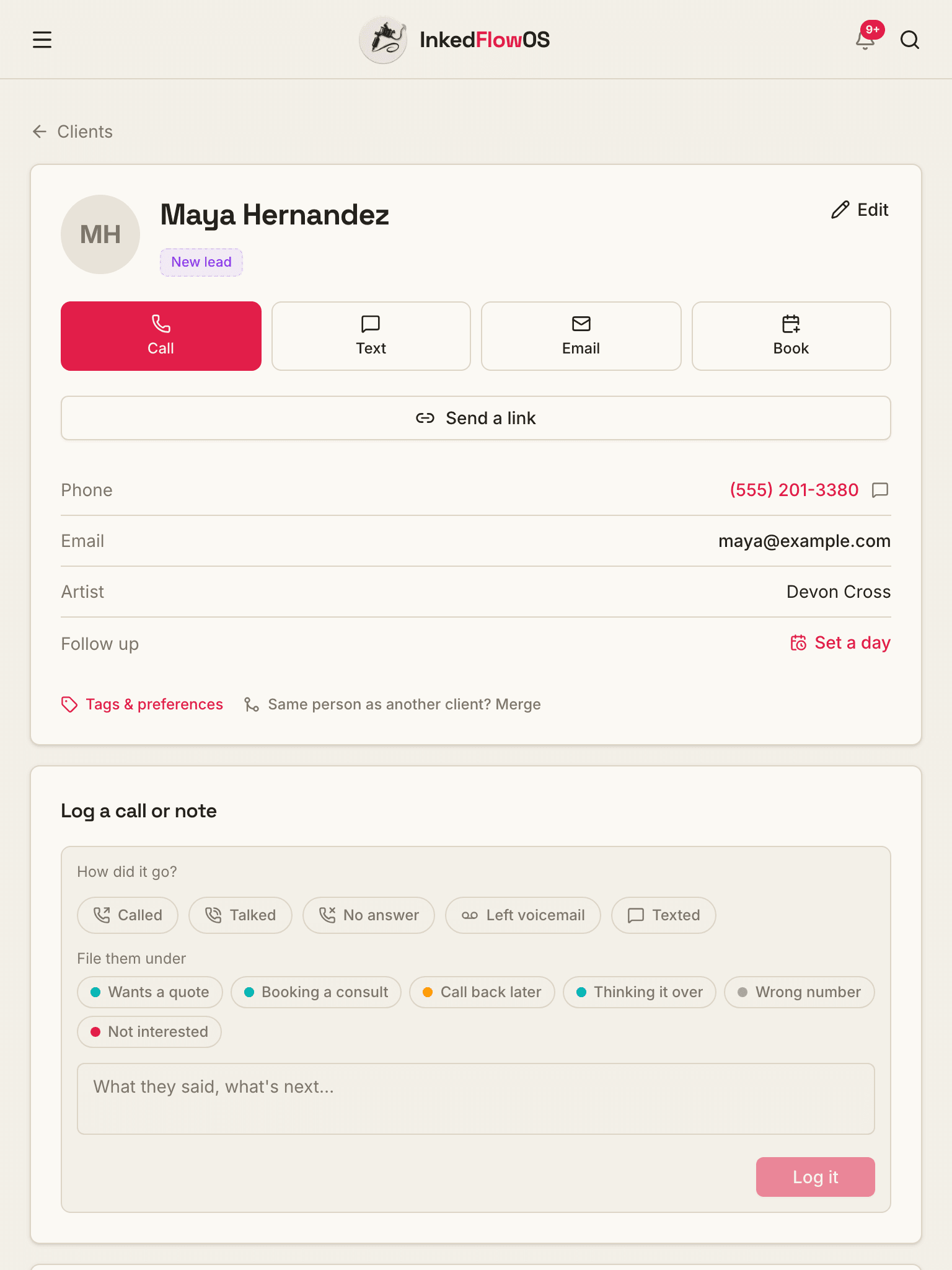
Open their page
Every client has a page: their contact details, their artist and your notes. Call, text, email or book them from the top.
02
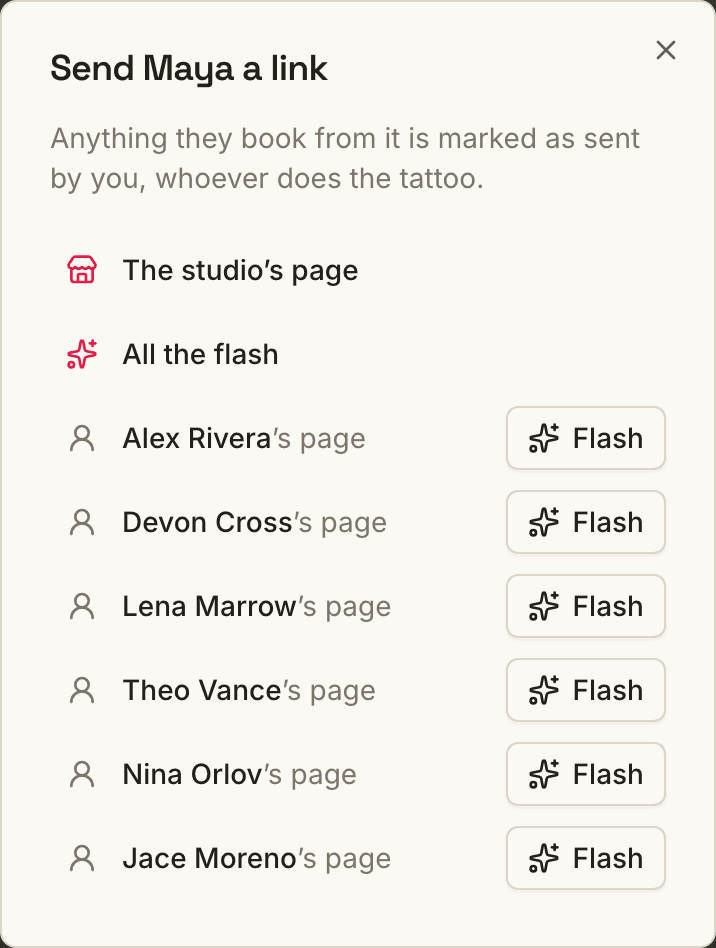
Pick where to send them
The studio page, all the flash, or one artist: their page, or just their flash.
03
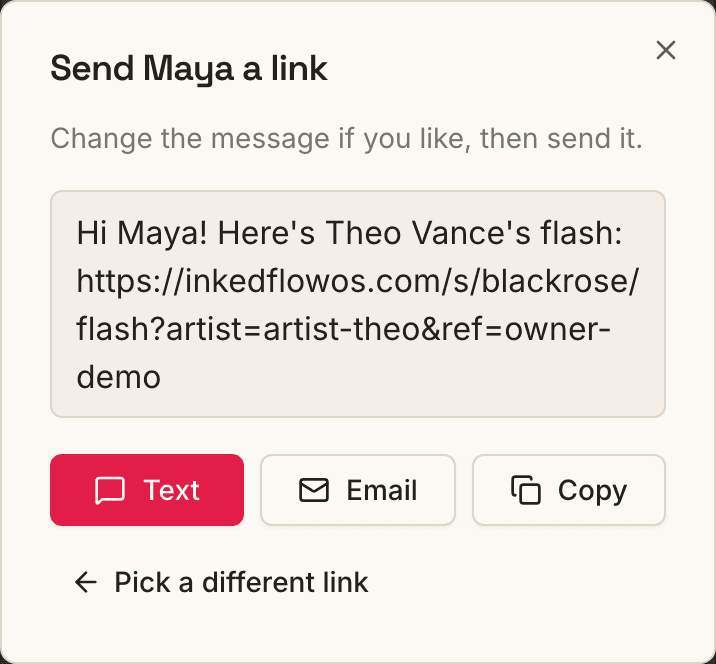
Text it, email it or copy it
It opens with a message already written and your tag on the link. Change it if you like, and send.
The credit
Brought in by you, whoever does the tattoo.
When they book from your link, the request shows who brought them in. It stays put when the request moves to another artist.

Reports
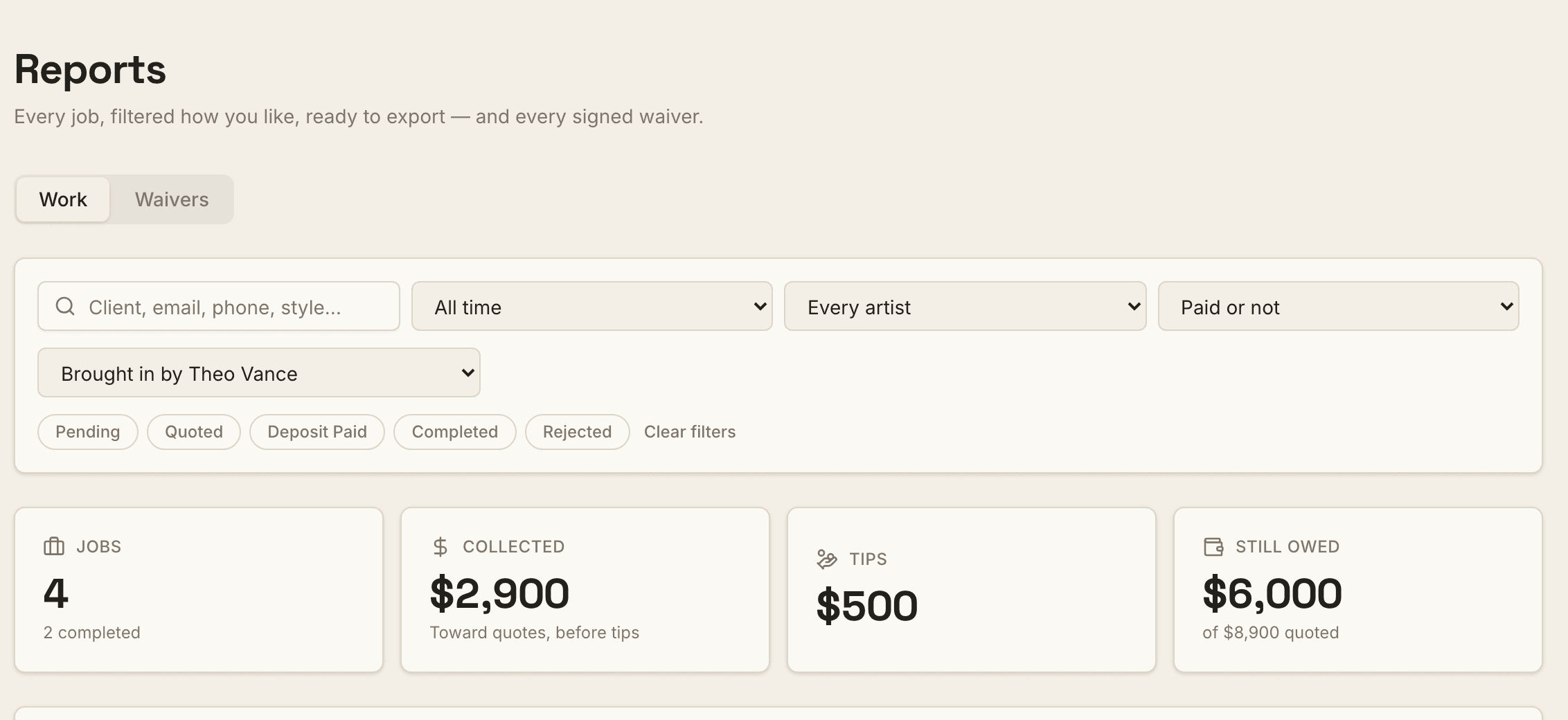
See everyone you've brought in.
Filter reports by who brought clients in: their jobs, what's been collected and what's still owed. It's in the spreadsheet export too.
Your link
Choose what your link opens.
The link on your Overview can be your booking form, your artist page, just your flash, or the studio's page. Copy DM reply uses the same one, with your tag on it.

Screens from our sample studio.
And the rest of the studio, in the same app
Booking, deposits, flash, waivers, walk-ins and payouts all run from one dashboard.
See everything- Deposits where the client covers the fees, so your studio keeps the full deposit
- A booking link with your artists and a visual intake
- Digital waivers signed on the client's phone
- Payouts and booth rent worked out for you
Send your next client with the credit on it
2-month free trial, no card required. +$25/mo per extra artist.
Rather see it with a person? Get a 15-minute walkthrough